


About the Product
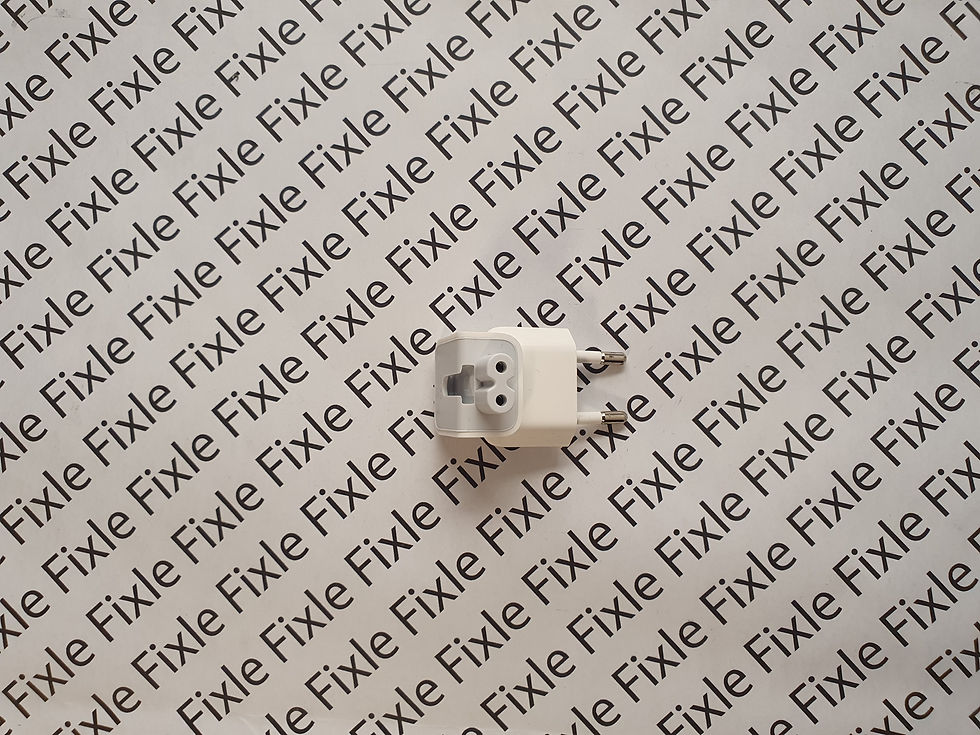
This product is the power button and connector module used in iMac models. It transmits the signal from the power button to the motherboard, enabling the device to power on. In case of malfunction, the iMac may not respond when the power button is pressed or may operate erratically. Adhesive or double-sided tape may be required for securing to the case during installation.
Part Numbers:
Main: 999-0020, 999-0021⸻
Compatibility
27″ iMac Models
| Model | Year | Model ID | Axxxx | EMC |
|---|---|---|---|---|
| iMac Retina 5K 27″ | 2020 | iMac20.2 | A2115 | 3442 |
| iMac Retina 5K 27″ | 2019 | iMac19,1 | A2115 | 3194 |
| iMac Retina 5K 27″ | 2017 | iMac 18.3 | A1419 | 3070 |
| iMac Retina 5K 27″ | Late 2015 | iMac 17.1 | A1419 | 2834 |
| iMac Retina 5K 27″ | Mid 2015 | iMac 15.1 | A1419 | 2806 |
| iMac Retina 5K 27″ | Late 2014 | iMac 15.1 | A1419 | 2806 |
| iMac 27″ | Late 2013 | iMac 14.2 | A1419 | 2639 |
| iMac 27″ | Late 2012 | iMac 13.2 | A1419 | 2546 |
21.5″ iMac Models
| Model | Year | Model ID | Axxxx | EMC |
|---|---|---|---|---|
| iMac Retina 4K 21.5″ | 2019 | iMac 19.2 | A2116 | 3195 |
| iMac Retina 4K 21.5″ | 2017 | iMac 18.2 | A1418 | 3069 |
| iMac 21.5″ | 2017 | iMac 18.1 | A1418 | 3068 |
| iMac Retina 4K 21.5″ | Late 2015 | iMac 16.2 | A1418 | 2833 |
| iMac 21.5″ | Late 2015 | iMac 16.2 | A1418 | 2889 |
| iMac 21.5″ | Mid 2014 | iMac 14.4 | A1418 | 2805 |
| iMac 21.5″ | Late 2013 | iMac 14.3 | A1418 | 2742 |
| iMac 21.5″ | Early 2013 | iMac 13.1 | A1418 | 2545 |
| iMac 21.5″ | Late 2012 | iMac 13.1 | A1418 | 2544 |
⸻
Regarding the Authenticity of the Product
This part was removed from original Apple iMac devices .
This is not an aftermarket part. It has been tested and is in like-new condition. The power button feel and signal transmission meet Apple standards.
⸻
Common Problems
The device does not turn on when the power button is pressed.
The power button is unresponsive or works intermittently.
The device sometimes turns on and sometimes doesn't.
The power button is coming loose from the case.
⸻
Assembly and Technical Skills
The iMac screen needs to be removed.
The power button module must be securely attached to the case.
Adhesive or double-sided tape may be required.
The cable connector must be inserted in the correct direction.
Measures should be taken to prevent static electricity buildup.
⸻
Return and Exchange Conditions
The product can be returned as long as it has not been used.
Returns or exchanges are not accepted for assembled products.
Please check the device size (21.5″ / 27″) and part number before purchasing.
You reserve your legal rights regarding defective products.
⸻
Price does not include installation.
If you would like installation services, please contact us.
For other genuine Apple power and control components, you can visit the Fixle website or contact us directly.




)